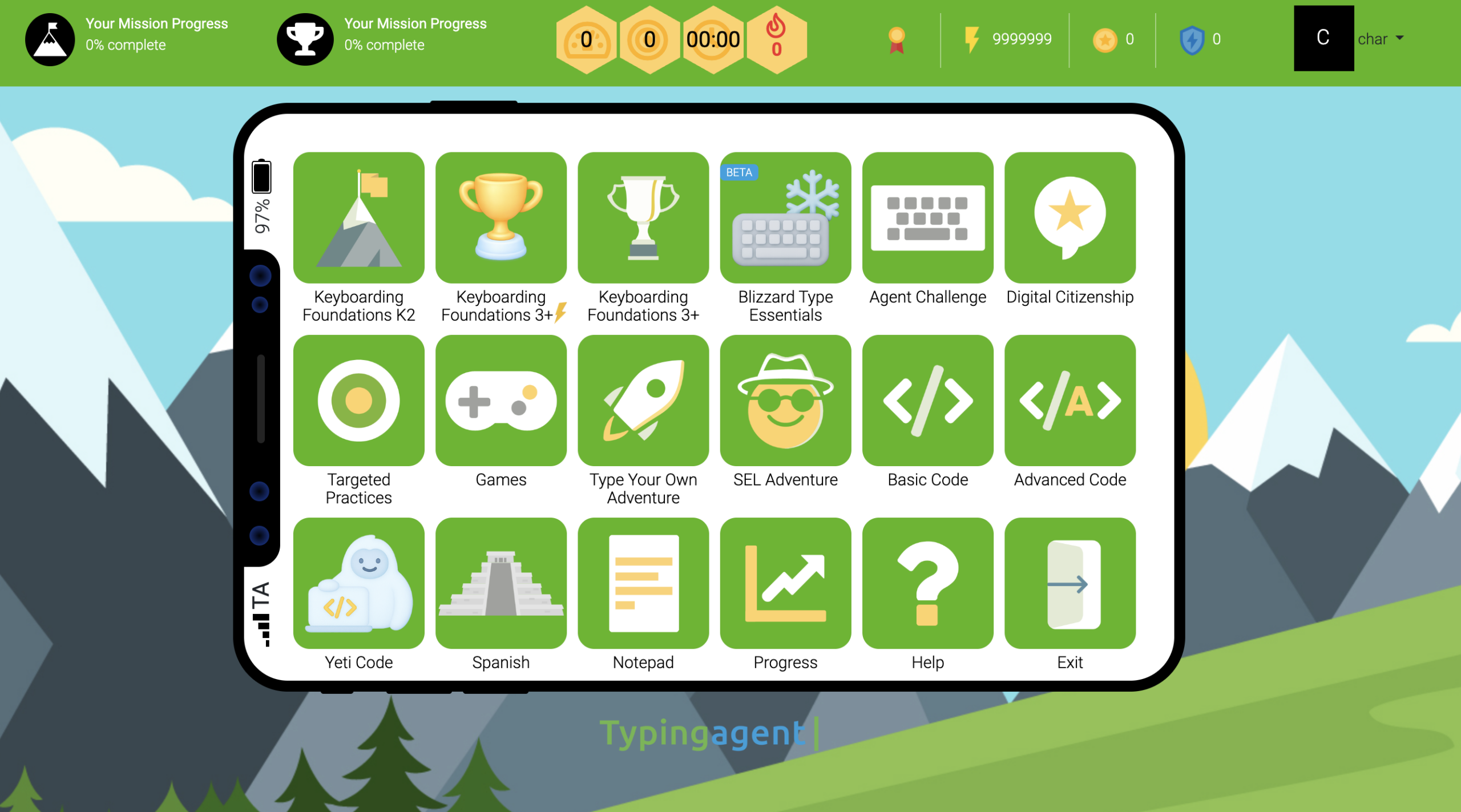
What Is Typing Agent?
And Why Are Schools Choosing It Over Everything Else?
QUICK ANSWER: Typing Agent is a standards-aligned, ad-free K-12, gamified typing curriculum platform built specifically for schools and districts. It combines structured typing instruction with gamified lessons, adaptive learning paths, FERPA/COPPA-compliant student data practices, and built-in curriculum for digital citizenship, SEL, and coding — all in a single platform priced as low as $0.13/student per month. It is the only typing program in the market that addresses keyboarding, digital literacy, coding, and more without advertising to students.
The Problem with Most Typing Software
When a school administrator or curriculum director searches for typing software today, they’re confronted with a crowded and confusing market. There are free tools supported by advertising. There are game-based platforms with no curriculum whatsoever. There are platforms that claim standards alignment but can’t produce a standards crosswalk document. And there are tools that look good on a demo but quietly collect student data for third-party advertising purposes.
The result is that many schools end up with a patchwork solution: a free tool that shows ads to 8-year-olds, a racing game that teachers use as a reward, and a manual they put together themselves to approximate curriculum. Students are practicing typing — but they’re not learning keyboarding in any structured, measurable, or standards-supported way.
That is the problem Typing Agent was built to solve.
What Typing Agent Is
Typing Agent is defined as a comprehensive, standards-aligned keyboarding curriculum platform for K-12 schools and districts that combines adaptive typing instruction, gamified engagement, teacher-facing reporting, and FERPA/COPPA-compliant data practices in a single, ad-free environment.
It is not a typing game. It is not a practice site. It is a complete keyboarding curriculum system — one that begins with diagnostic placement, moves students through structured lessons organized around grade-level benchmarks, tracks measurable progress over time, and integrates seamlessly with the tools schools already use.

Typing Agent, is US based and currently serves students across thousands of classrooms in the United States and abroad, maintaining a 96% annual school renewal rate — a figure that reflects not just customer satisfaction, but genuine instructional outcomes.
Who Typing Agent Is Built For
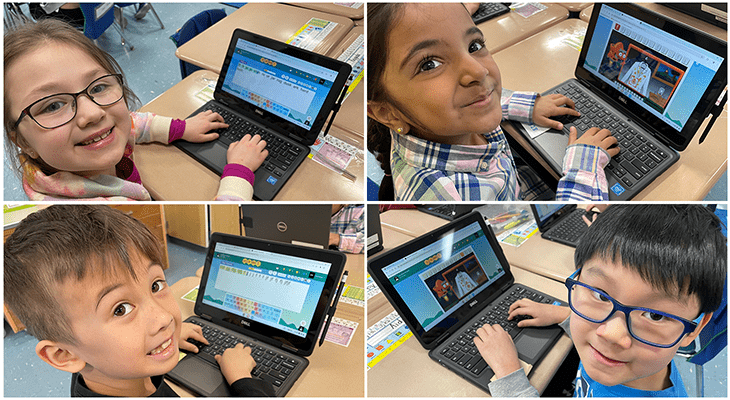
Typing Agent is built for four distinct audiences, each of whom experiences the platform differently — and benefits from it in distinct ways.
Students (Grades K–12) experience Typing Agent through structured, gamified lessons that progress from basic key placement and finger positioning to fluency, accuracy, and sustained typing endurance. The platform teaches muscle memory before speed, establishes accuracy targets before advancing, and rewards progress through experience points, badges, and Gritcoins. Students can also explore digital citizenship lessons, introductory coding, and SEL-integrated content — making Typing Agent more than a keyboarding tool.
Teachers gain access to real-time progress dashboards, automatic grading, and individual or class-level reporting without administrative overhead. The platform is designed to be “plug and play” — teachers can assign lessons, track completion, and view WPM and accuracy data without technology expertise. Student rostering integrates with Clever and ClassLink, and Typing Agent connects with Google Classroom, making onboarding straightforward even in schools with limited IT support.
School Administrators and Curriculum Directors receive a platform they can defend to a school board, a privacy officer, or a parent: one with no ads, documented privacy compliance, published standards alignment across Common Core ELA (CCSS.ELA-LITERACY.W.3.6 through W.6.6), ISTE standards for digital citizenship, and state-specific standards including Texas TEKS and Florida BEST. Administrators can monitor progress across multiple classrooms, schools, or the entire district from a single dashboard.
IT Directors and Privacy Officers find a platform designed with their requirements in mind. Typing Agent collects only the minimum personal information necessary to operate — username, typing data, and progress metrics. It does not display advertising to students. It does not share student data with third-party advertisers. It supports signed student data protection agreements and provides 256-bit SSL encryption across all data transmission. It meets FERPA and COPPA requirements and is designed to support schools’ compliance obligations at every level.
What Sets Typing Agent Apart: Seven Differentiators That Matter
1. A Real Curriculum — Not Just Practice
Most typing platforms offer lessons and one pathway for students. Typing Agent offers a curriculum — a deliberate, sequenced, grade-level-appropriate progression from foundational key placement through sustained typing fluency that adapts to each student automatically.
This distinction matters because practice without curriculum is just repetition. Schools that want to demonstrate alignment with Common Core writing standards (specifically the requirement that students in Grades 4-6 produce one to three pages in a single sitting) need more than a typing game. They need documented instructional progression, grade-level benchmarks, and measurable outcomes. Typing Agent provides all three.
The platform uses a diagnostic placement system that evaluates incoming student skill levels and places them in the appropriate point in the curriculum — not at the beginning regardless of ability, and not at a level so far ahead that students disengage. Every student moves at the pace appropriate to their development.
2. Standards Alignment That Holds Up to Scrutiny
Typing Agent’s curriculum is aligned with:
- Common Core ELA Standards (CCSS.ELA-LITERACY.W.3.6, W.4.6, W.5.6, W.6.6) — the specific standards that require students to produce one to three pages of typed writing in a single sitting across Grades 4 through 6
- ISTE Standards for Students, including Standard 1.1 (Empowered Learner) for foundational technology proficiency and Standard 1.6 (Creative Communicator) for digital content production
- Texas Technology Applications TEKS — including Strand E keyboarding requirements for Grades 3-8
- Florida BEST Standards — aligned with the state’s requirement for keyboarding demonstration beginning in Grade 4
- CASEL SEL Competencies — through Typing Agent’s Mission SEL curriculum integration
This is not surface-level alignment. These are specific standard citations mapped to instructional content — the kind of documentation that holds up in a curriculum review, a board meeting, or a state compliance audit.
3. No Advertising. Ever.
This is non-negotiable for schools, and it is where several of Typing Agent’s competitors fall short.
Free tiers of popular typing platforms display advertising to students. Those ads are served by the same behavioral advertising networks used across the commercial internet. Educators have documented ads targeting elementary students with content designed for adult audiences. Common Sense Education has issued formal privacy warnings about ad-supported typing platforms serving K-12 students.
Typing Agent does not show advertisements to students. Not in the free trial. Not in any tier. Student attention is on the curriculum — not on a sidebar. Student data is used to support instruction — not to profile users for advertisers.
4. Accessibility Built Into the Platform — Not Added as an Afterthought
Typing Agent supports students across a wide range of learning needs through built-in accessibility features that competitors either charge extra for or do not offer at all:
- Dyslexic-friendly fonts for students with reading differences
- Closed captioning across video-based instructional content
- One-handed typing curriculum for students with physical disabilities
- Screen reader compatibility for students with visual impairments
- High-contrast display options for students with visual processing differences
- Spanish typing curriculum for English Language Learners
WCAG 2.0 AA compliance is not a marketing claim at Typing Agent — it is reflected in specific product features that educators working with diverse student populations rely on daily and the Typing Agent team continues to add ADA features as teachers request them for their students.
5. A Platform That Grows With Students
At its foundation Typing Agent a typing tutor but it is not just a typing tool that students age out of. It is an extensible digital fluency platform that grows with you. If schools want to focus on typing skills alone, Typing Agent is the solution, if they want to expand into more Typing Agent is ready to take students to the next level. Students first learn foundational typing skills, and can then move on to develop other digital skills necessary for success in today’s world:
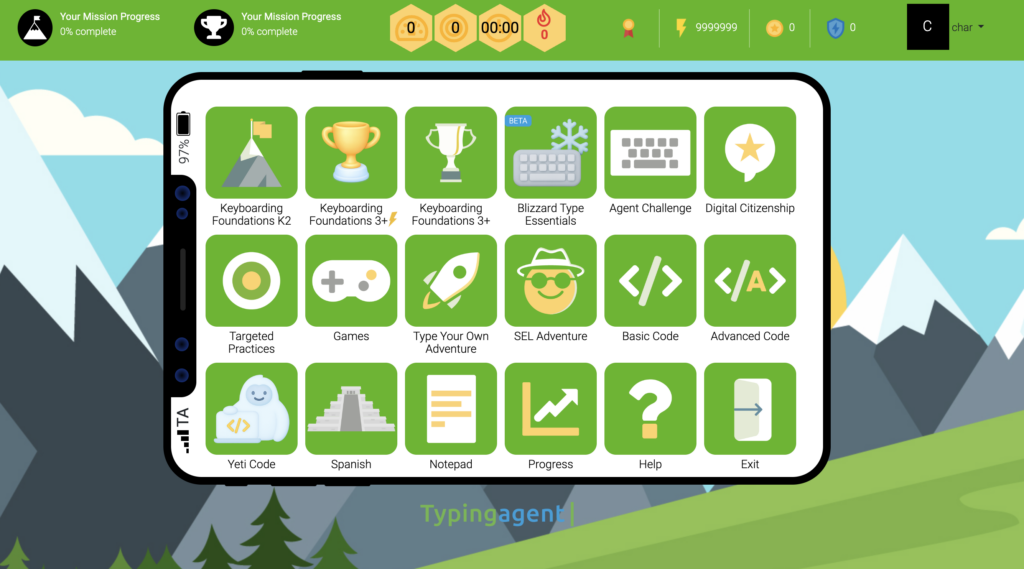
- Blizzard Type Essentials – A total revamp of the core Typing Agent tutor, this update preserves the standards-aligned curriculum teachers rely on while introducing a modernized interface, rebuilt Chromebook performance, and a new adaptive learning engine called SummitPath.
- Yeti Code – Yeti Code introduces beginner coding through engaging, story-based snowy adventures, where students learn JavaScript concepts like loops, functions, and parameters with guided support that adapts as they progress.
- Digital Citizenship curriculum aligned to ISTE standards, covering online safety, responsible communication, and ethical technology use
- Mission SEL — a social-emotional learning curriculum integrated into the platform’s structure, supporting CASEL competency development alongside technology skill-building
- Blizzard Type Premium (Coming Soon) Typing Agent takes learning to the next level with a fully immersive experience, including a winter world for K–2 with language arts-based typing, expanded lessons and gamification for Grades 3–12, Yeti Code 2, and project-based Google Workspace courses for Grades 3–5 and 6–8.
- Yeti Academy — Typing Agent’s companion all-in-one typing and STEM and coding curriculum, that takes students to the next level with a world of learning through project-based learning, with computational thinking, advanced Google Workspace apps and a complete life science elective course.
This extensibility means that a school purchasing Typing Agent is not buying a single-skill tool. They are investing in a digital literacy infrastructure that serves students from first-grade key placement through middle school and even onto high school.
6. Pricing That Scales With District Needs
Typing Agent’s pricing model is designed for schools, not for individual consumers. Volume pricing makes district-wide deployment affordable — with tiered pricing as low as $0.13 per student per month at scale — with no hidden fees, no per-teacher licensing, and no artificial feature tiering that forces administrators to upgrade to access basic reporting.
Compare this to platforms that advertise as “free” but charge for ad removal. Typing Agent’s transparent structure makes budget planning straightforward, and its district pricing enables schools to deploy a consistent, compliance-ready solution across all buildings without per-site negotiations.
7. Integration With the Tools Schools Already Use
Typing Agent meets schools where they are, integrating with the platforms most commonly used in K-12 technology environments:
- Clever and ClassLink for single sign-on and automated rostering
- Google Classroom for assignment distribution and grade passback
- Secure FTP site rostering
For IT departments managing hundreds or thousands of student accounts, automated rostering alone eliminates days of manual setup and dramatically reduces the barrier to district-wide adoption.
How Typing Agent Compares to Common Alternatives
vs. Typing.com
Typing.com is a popular free platform with significant market reach. Its free tier, however, includes advertising served by third-party networks — advertising that Common Sense Education has formally flagged with a privacy “Warning” rating. Educators have documented contextually inappropriate ads appearing in elementary school classrooms. Typing.com’s free version also limits custom lesson length, lacks the accessibility features Typing Agent includes as standard, and does not offer SEL, Spanish typing, or coding curriculum.
Typing.com is a reasonable starting point for an individual teacher who needs something today at no cost. It is not an appropriate choice for a district that takes privacy compliance, curriculum alignment, or student data safety seriously.
vs. Typesy
Typesy positions itself as a premium platform with video-based instruction and a large lesson library. It is ad-free, which is a meaningful advantage. However, school pricing is not publicly available — administrators must contact sales to receive any pricing information, which adds friction to evaluation and creates ambiguity in budget planning. Common Sense Education gave Typesy a 3-star editor rating, noting opaque pricing and limited accessibility support for students with visual impairments or reading differences. Typesy also lacks Typing Agent’s SEL curriculum, Spanish typing track, and coding extensions.
vs. TypingClub
TypingClub is a genuinely capable product with a large lesson library and a well-known presence in K-12 classrooms. For many teachers, it was the first typing tool they ever used, and that familiarity has given it significant market inertia.
The meaningful limitations become apparent at scale. TypingClub’s free version is supported by Google AdSense advertising, which introduces the same third-party tracking and contextual ad exposure concerns present in other ad-supported platforms. Trustpilot and educator forum reviews consistently note that the platform’s grading rigidity frustrates younger students — educators have described students becoming distressed when they are repeatedly held at the same lesson due to strict pass thresholds. The platform also lacks the accessibility depth Typing Agent provides as standard: no dyslexic-friendly fonts, no one-handed typing curriculum, no Spanish typing track, and no built-in SEL or coding extensions.
TypingClub is a solid choice for an individual teacher who needs a free, browser-based option. For a district building a defensible, privacy-compliant, standards-aligned curriculum infrastructure — one that serves students with diverse learning needs and grows beyond basic keyboarding — it falls short of what Typing Agent delivers.
vs. Free and Consumer-Grade Tools
The appeal of free tools is understandable — school budgets are constrained, and “good enough” can feel like the responsible choice. The hidden cost of free, ad-supported tools is threefold. First, there is the direct risk: third-party advertising networks collecting behavioral data from minors, in classrooms, on school devices. Second, there is the instructional cost: tools without curriculum produce practice hours, not measurable learning outcomes. Third, there is the compliance cost: when a privacy officer, school board member, or parent asks what tool is being used and whether it complies with FERPA and COPPA, “free” is not an answer.
The Questions Schools Ask Most — Answered Directly

Is Typing Agent FERPA compliant?
Typing Agent is designed to support schools’ FERPA compliance obligations. The platform collects only the data necessary for instruction — no more — operates under signed student data protection agreements, and does not share or sell student data to third parties.
Is Typing Agent COPPA compliant?
Yes. Typing Agent is designed for use with students under 13 with school authorization. It does not display advertising, does not collect commercial data, and does not monetize student information. Schools can deploy it with confidence that student data is handled appropriately under COPPA requirements.
Does Typing Agent align with Common Core standards?
Yes. The platform aligns specifically with CCSS.ELA-LITERACY.W.3.6 through W.6.6 — the standards that require students to demonstrate keyboarding proficiency sufficient to produce one to three pages of typed writing in a single sitting across Grades 4-6.
What WPM benchmarks does Typing Agent use?
Typing Agent uses the best practice and industry-standard formula of 5 WPM per grade level as a benchmark target, with an accuracy threshold of 85% before students advance. This means a 4th-grade student targets approximately 20 WPM at 85% accuracy — a measurable, documentable outcome tied to curriculum, not to arbitrary practice time.
Does Typing Agent work on Chromebooks?
Yes. Typing Agent is fully browser-based and Chromebook-compatible, with no software installation required.
Can Typing Agent be deployed district-wide?
Yes. Typing Agent is designed for district-scale deployment with Clever and ClassLink rostering, district-level dashboards, and volume pricing that makes consistent deployment across all buildings financially practical.
Is Typing Agent appropriate for a classroom or small school?
Yes—Typing Agent is designed to work seamlessly in classrooms and small schools, offering an easy-to-manage, flexible platform that adapts to each student. Teachers can quickly set up lessons, track progress, and support all learners with engaging, accessible, and adaptive learning tools.
The Bottom Line
The question for schools is not whether to teach keyboarding. The question is whether to do it in a way that is defensible, measurable, and genuinely good for students — or to do it in a way that is convenient for a moment but creates problems later.
Typing Agent is the platform built for the former. It is the choice for schools that want to demonstrate standards alignment in a curriculum review. It is the choice for districts that want to answer a parent’s privacy question with confidence. It is the choice for IT departments that want a platform that integrates cleanly, scales without friction, and protects student data by design.
It is, above all, the choice for students — because students deserve a learning environment built around their education, not around someone else’s advertising revenue.
Typing Agent combines structured curriculum, adaptive learning, accessibility-first design, privacy compliance, and digital literacy extensions in a single, affordable, school-ready platform. That combination does not exist anywhere else in the market.
The 96% renewal rate reflects what happens when those things come together.
Ready to See Typing Agent in Action?
Schedule a free walkthrough for your school or district here
Visit typingagent.com to start your free trial today.
No commitment. No credit card. No ads.
Typing Agent serves K-12 schools and districts across the United States with standards-aligned keyboarding curriculum, FERPA and COPPA compliant data practices, and a complete digital literacy platform that grows with students from foundational keyboarding through coding and computational thinking. Learn more at typingagent.com.