A Scalable, Data-Driven Typing Solution for K-12 Districts
Typing Agent is the all-in-one typing program designed for district-wide success. With powerful reporting tools, easy rostering, adaptive curriculum, and seamless integrations, it’s never been easier to equip students with essential 21st-century typing and technology skills.
- Fully web-based—low IT overhead, no software installs
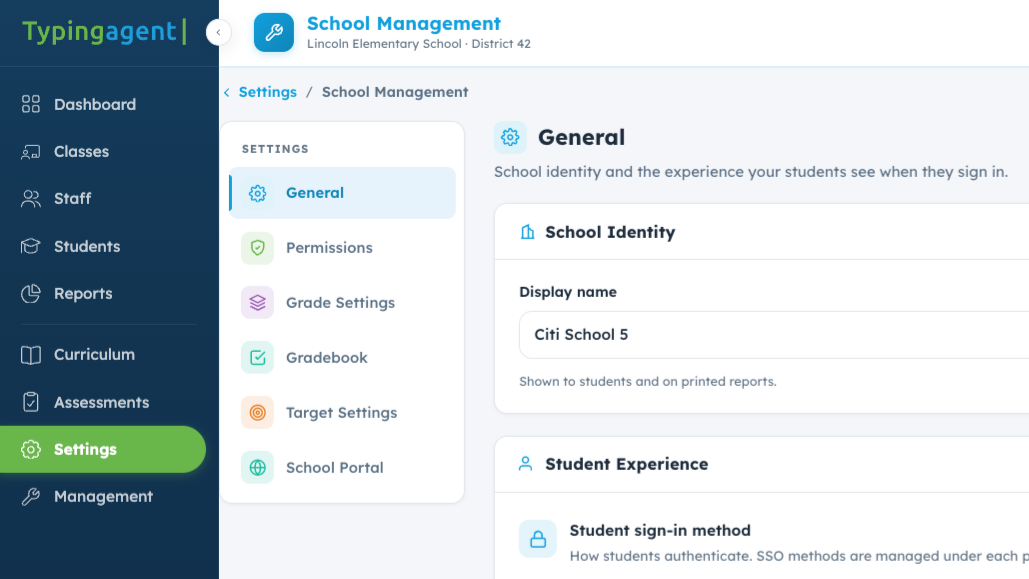
- Easy district-wide implementation with bulk rostering
- Real-time data at district, school, class, or student levels
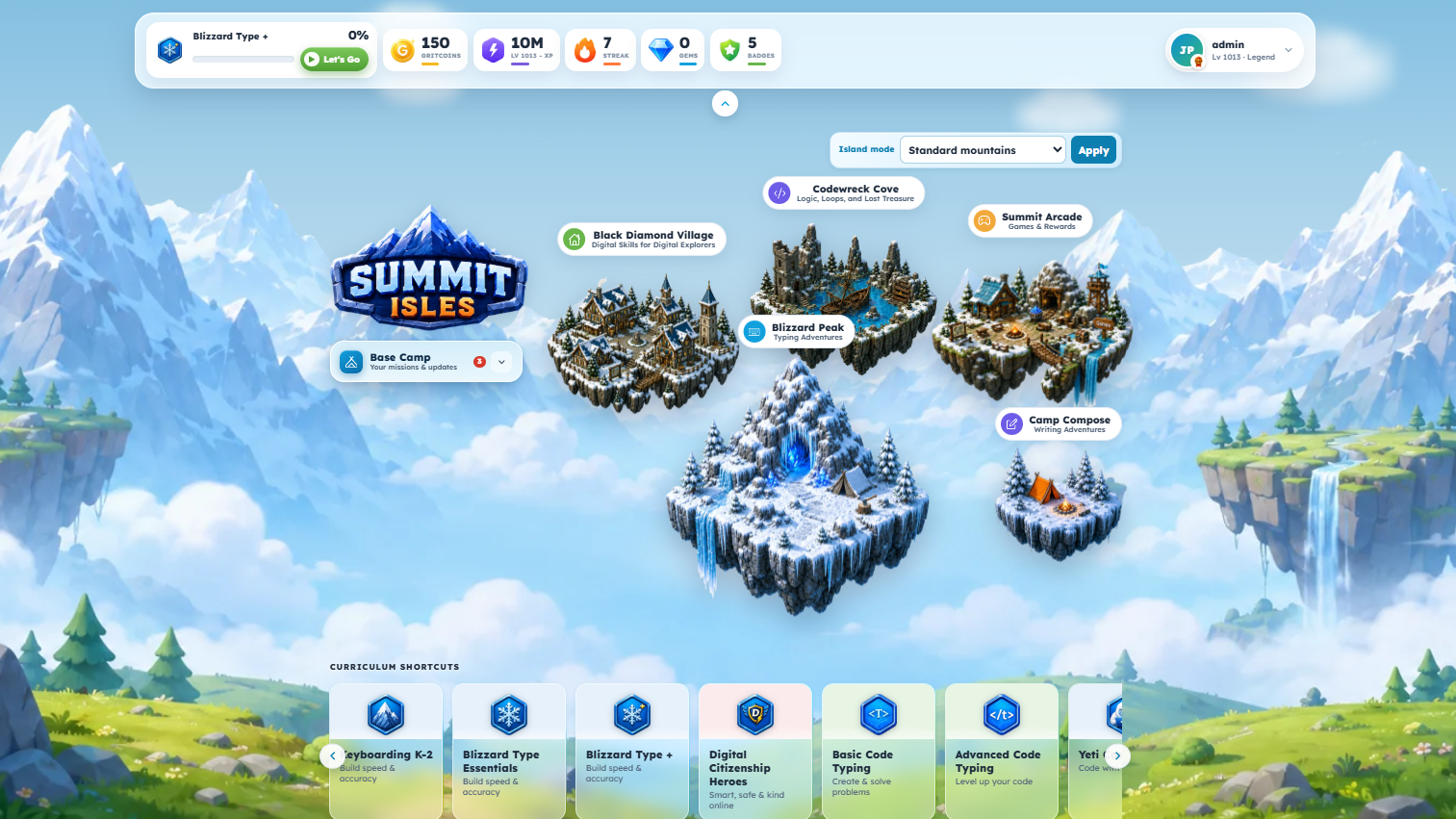
- Engaging, gamified curriculum for K-12
- Meets ISTE, CASEL, and ADA standards
Why Typing Agent?
Effortless District-Wide Implementation
Setting up Typing Agent for your schools is fast and simple. With bulk rostering, automated student management, and seamless integrations, IT teams and administrators can get schools up and running in minutes.
- Bulk import schools, teachers, and students
- Sync instantly with Clever, Google Classroom, ClassLink, and Microsoft SSO
- Auto-update class rosters—no manual entry needed
- Multi-admin access for district-wide control
Minimal setup. Maximum impact.


District-Wide Reporting & Analytics
Administrators need real data to make informed decisions. Typing Agent delivers powerful analytics to track utilization, student progress, and performance trends—from district to individual students.
- Monitor typing progress across multiple schools
- Run real-time reports at the district, school, class, or student level
- Custom reports—track performance by WPM, accuracy, or curriculum completion
- Easily identify struggling students and optimize learning plans
With instant access to critical data, administrators can drive meaningful improvements in typing education.
Engaging Typing Curriculum for All Grade Levels
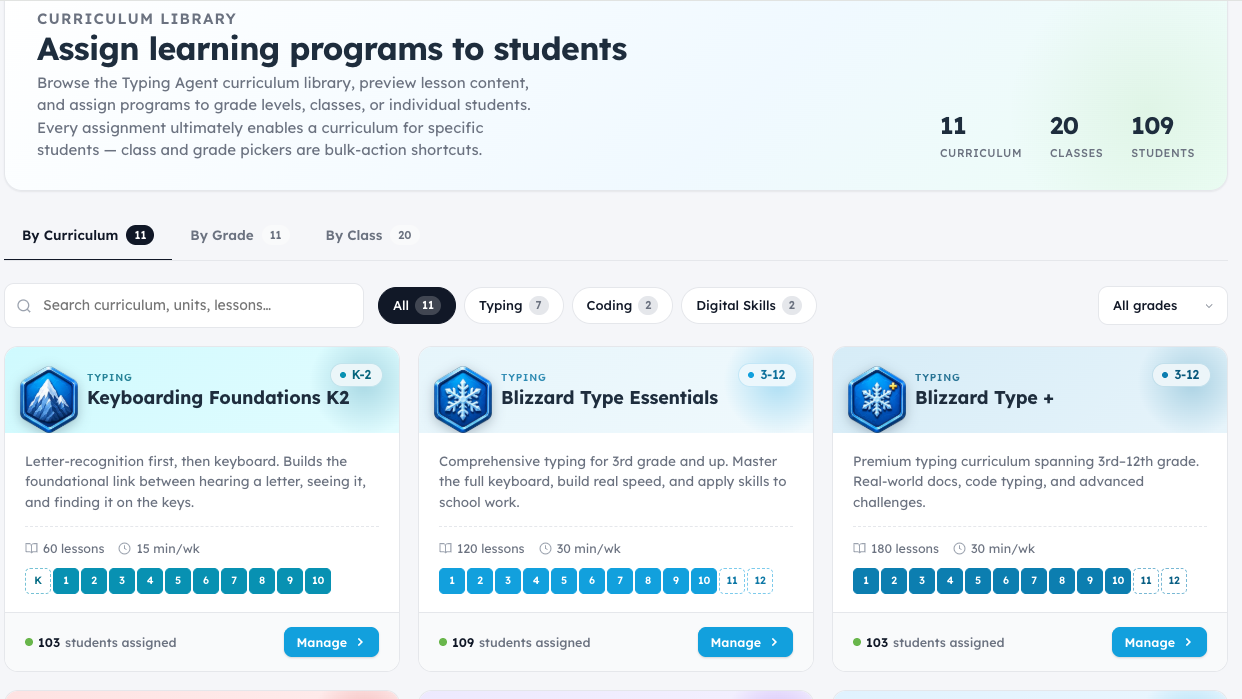
Typing Agent adapts to every student’s skill level, ensuring they get the right lessons at the right time.
- K-2: K2 Mountain—a fun, adventure-based typing curriculum that teaches mouse skills, letter recognition, and finger placement
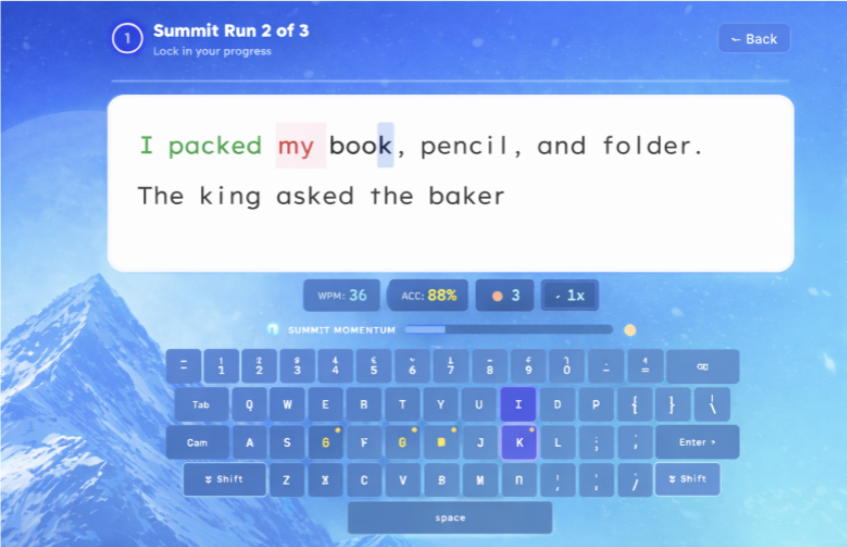
- Grades 3-12: Adaptive Learning Paths—personalized keyboarding lessons that adjust based on student performance
- Hands-on learning with engaging typing games, challenges, and interactive activities
Whether students are just starting or building speed and accuracy, Typing Agent meets them where they are.


Comprehensive Digital Literacy & Technology Skills
Typing Agent goes beyond keyboarding with a full suite of technology-focused curriculums to prepare students for the digital world.
- Digital Citizenship (Aligned with ISTE Standards)
- Coding for Beginners & Advanced Students (Teaches HTML, JavaScript, and Python)
- Social-Emotional Learning (SEL) (Aligned with CASEL for self-awareness, empathy, and decision-making)
- Typing for Spanish Speakers (Dual-language curriculum for ELL students)
Typing Agent equips students with the skills they need for school, careers, and life.
Seamless Integration with Your Classroom Tech
Typing Agent works with the tools your schools already use, making it easy for students and teachers to log in and get started.
- Single Sign-On (SSO) & Rostering with:
- Google Classroom
- Clever
- ClassLink
- Microsoft
This means no lost passwords, no wasted time—just instant access to typing lessons.


ADA-Compliant Features for All Students
Typing Agent is fully accessible and designed to support all learners.
- Dyslexic-friendly fonts
- Closed captioning for videos
- One-handed typing options
- Screen reader compatibility
- Meets WCAG 2.0 AA ADA standards
Every student deserves equal access to typing and technology skills.
World-Class Support for Schools & Districts
We make sure your schools and teachers have everything they need for success.
- Dedicated district support team
- Solution Center with how-to guides & videos
- Live & pre-recorded training webinars
- In-app chat, email, and phone support
With fast, responsive customer service, administrators can be confident that their schools are always supported.

Latest Articles from : Typing Programs For Schools & Districts
- Why “Standards-Aligned” Is the Most Important Phrase in Your Next Curriculum Decision — And What It Actually Requires
Quick Answer: A standards-aligned typing and technology curriculum is one where every lesson, every progression, and every assessment maps to a specific, named educational standard… - Key to the Future: Integrating Online Keyboarding Programs in School Curriculums
In the current condition of our digital landscape, keyboarding skills are more critical than ever. These skills are fundamental for students to navigate and succeed… - The Role of Online Typing Programs in Remote Learning: Unlocking Typing Skills Anytime, Anywhere
In the ever-evolving landscape of education, the shift towards remote learning has revolutionized how students access and engage with their curriculum. As we navigate this…