
Why Your Students Are Still Hunt-and-Pecking — And What It Actually Takes to Fix It
Quick Answer: Hunt-and-peck typing is a learned habit, not a developmental stage, and it persists because most typing instruction allows it to. Students who look at the keyboard, type with two fingers, and plateau around 20–30 WPM are not failing — they are doing exactly what their environment trained them to do. Fixing it requires a specific set of instructional interventions: anchored hand positioning, accuracy-gated progression, adaptive practice targeting individual key weaknesses, and enough structured repetition to move typing from conscious effort to procedural muscle memory. That is precisely what Typing Agent is built to deliver.
You’ve Seen This Before
It happens across grade levels, across schools, and — if we’re being candid — in teachers’ rooms too.
A student sits down at a keyboard. They look at the screen to read the prompt. Then they look down at the keyboard. Their index fingers begin moving, hunting for the right key, pecking at it, then hunting again. Eyes up, eyes down, eyes up, eyes down. The rhythm is halting. Errors accumulate. The student spots a mistake and reaches for the backspace key — visually, of course — and corrects it. Then the whole process starts again.
They are hunt-and-peck typing. And they will continue to do so until someone or something makes it structurally impossible to succeed that way.
Here is what makes this particularly frustrating for educators: many of these students have used a typing platform before. Maybe they completed a whole unit on it. Maybe they sat in front of Typing.com or TypingClub for an entire semester. Maybe they earned badges and advanced through levels and the dashboard showed green. And yet here they are, still looking at the keyboard, still using two fingers, still moving at the pace of hesitation rather than fluency.
This is not a student failure. It is an instructional design failure. And it is completely fixable — if the right approach is applied consistently.
What Hunt-and-Peck Actually Is (And Why It Sticks)
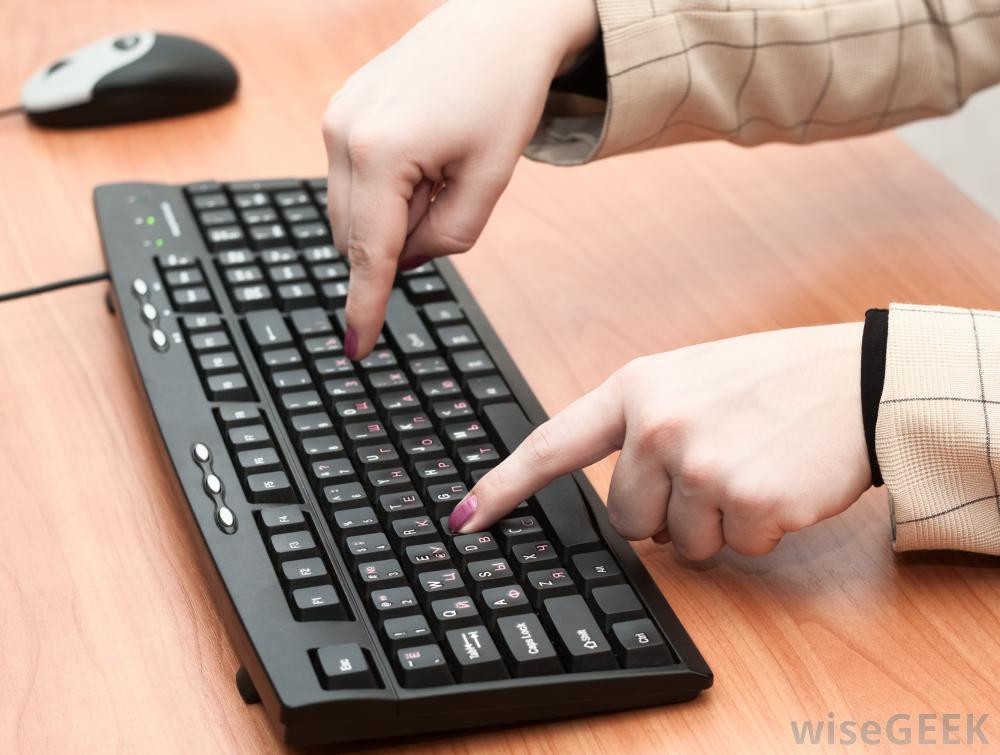
Hunt-and-peck is not just a slower version of touch typing. It is a fundamentally different cognitive process — and that difference is exactly why it is so hard to break once it is established.
Touch typing is a procedural skill. It lives in the same part of the brain as riding a bike, playing an instrument, or catching a ball. Once typing is automatized through muscle memory — through the procedural memory systems of the basal ganglia and cerebellum — the fingers move without conscious instruction. The typist thinks about what they want to say. The fingers produce it. The cognitive bandwidth devoted to the physical act of typing drops to near zero.
Hunt-and-peck is a search-and-confirm process. The typist consciously decides which letter is next, initiates a visual search for that letter on the keyboard, moves a finger to that location, confirms the key before pressing it, observes the result on the screen, and then begins the process again for the next letter. Every single character requires multiple conscious steps. The cognitive load is enormous, and the sustained attention required for it is, as researchers at the Oxford Journal have found, exhausting in ways that compound directly on top of the intellectual demands of the writing task itself.
The neuroscience is clear: muscle memory develops through consistent, correct repetition of a motor task. According to procedural learning research, this process requires three things — correct form established early, repetition that reinforces rather than overrides correct form, and feedback that interrupts incorrect patterns before they are consolidated. When any of these three are absent, the wrong pattern gets consolidated instead. The student practices their errors until their errors become automatic.
Most typing platforms allow students to complete lessons while continuing to look at the keyboard. They allow students to proceed past errors. They register completions without confirming whether the student is using correct finger placement. The result is that students practice hunt-and-peck — and then practice it enough to become fluent at it. At which point breaking the habit requires overriding an existing automated pattern, which is significantly harder than building a correct one in the first place.
This is why a student can complete a semester of typing instruction and still be a hunt-and-pecker. They were never in an environment that made hunt-and-peck structurally unworkable.
The Speed Gap Is Real — and It Compounds
The practical stakes of this are not abstract. Studies consistently put the average hunt-and-peck typist between 20 and 35 WPM. Touch typists average 60 to 80 WPM, with proficient users reaching significantly higher. For a student writing a 1,000-word essay, that gap represents the difference between roughly 14 minutes and 40 minutes of typing time — before accounting for errors, corrections, and the cognitive disruption of repeatedly breaking focus to find a key.
Educators who work with standardized tests that include essay components know this concretely: students who cannot type fluently are spending cognitive resources on keystroke mechanics during timed assessments that their faster-typing peers are spending on reasoning, organization, and revision. The typing bottleneck is an academic bottleneck.
Ask a Tech Teacher, an educator and curriculum author with 30 years of K-12 technology teaching experience, puts it plainly: students need to type at a speed that keeps up with their thoughts. Fewer than 20 WPM and the student is interrupting their own thinking to produce text. The widely used grade-level benchmark — 5 WPM per grade level — exists precisely because it represents the minimum threshold below which typing impedes rather than supports academic work.
A student who hunt-and-pecks at 22 WPM in fourth grade is below the threshold for their own grade level. A student who touch-types at 45 WPM in fourth grade has academic headroom that compounds as assignments grow longer and more complex through middle and high school.
The investment in breaking this habit early is not cosmetic. It is structural.
The Myth That Makes the Problem Worse

There is a comfortable assumption that runs through many conversations about technology and today’s students. It goes something like this: kids who grew up with smartphones and tablets are inherently tech-savvy. They’ve been surrounded by screens since birth. They understand digital environments intuitively. They don’t need the same kind of structured instruction that older generations did, because they absorbed technological fluency through osmosis.
This assumption has a name: the “digital native” theory, coined by Marc Prensky in 2001. It has also been comprehensively debunked by two decades of research — and understanding why it is wrong is essential to understanding why hunt-and-peck persists at scale.
The research is direct. Kirschner and De Bruyckere, writing in Teaching and Teacher Education in 2017, reviewed evidence on the digital native concept accumulated since 2001 and concluded that “information-savvy digital natives do not exist” and that there is no significant relationship between age and internet or technology know-how. Hargittai’s research, published in Sociological Inquiry, found that what actually predicts technology competency is not birth year, but income, parental education, and — critically — explicit instruction and structured practice.
A 2021 study cited by NetPsychology found significant disparities in digital literacy between student groups that correlated with access to quality education rather than generational membership. The European Union’s Kids Online report found that “children knowing more than their parents has been exaggerated” and specifically noted that the digital native framing “obscures children’s need for support in developing digital skills.”
A Stanford study examining how university students — precisely the cohort that grew up with technology — evaluated online sources found that they were frequently swayed by superficial visual design rather than content credibility. Students who were supposed to be fluent in digital environments were, in practice, no better equipped than adults at critical digital reasoning.
Perhaps most bluntly: approximately 60% of young people lack the basic digital literacy skills necessary for academic and professional success, according to research reviewed by NetPsychology in 2025. The students who perform best with technology are not the ones who were born into it — they are the ones who were taught it.
Dr. Fiona Chambers, an education researcher at University College Cork who studied more than 600 students’ online experiences, found that today’s students can operate technology but show virtually no critical engagement with it. They navigate apps. They do not understand how the apps work, what data they collect, or how to evaluate the information they deliver. These are learned skills. They require instruction.
The digital native myth is not harmless. It is actively damaging. When schools assume that students will absorb technology skills through exposure, they do not build structured curriculum for those skills. Students learn to use the interface but not the underlying competency. They become fast at the familiar and helpless at the unfamiliar. They hunt and peck — because nobody ever created the conditions under which touch typing would be learned instead.
Digital skills, like all skills, require instruction. They do not emerge from contact. A child who grows up near a piano does not become a pianist. A student who grows up with a smartphone does not become a competent touch typist. Every meaningful skill — reading, arithmetic, writing, coding, keyboarding — is built through explicit instruction, structured practice, corrective feedback, and enough repetition to move from conscious effort to automatized performance.
Typing is at the top of that list because it is the foundational productivity skill on which nearly every other digital task depends.
What Typing Agent Does Differently
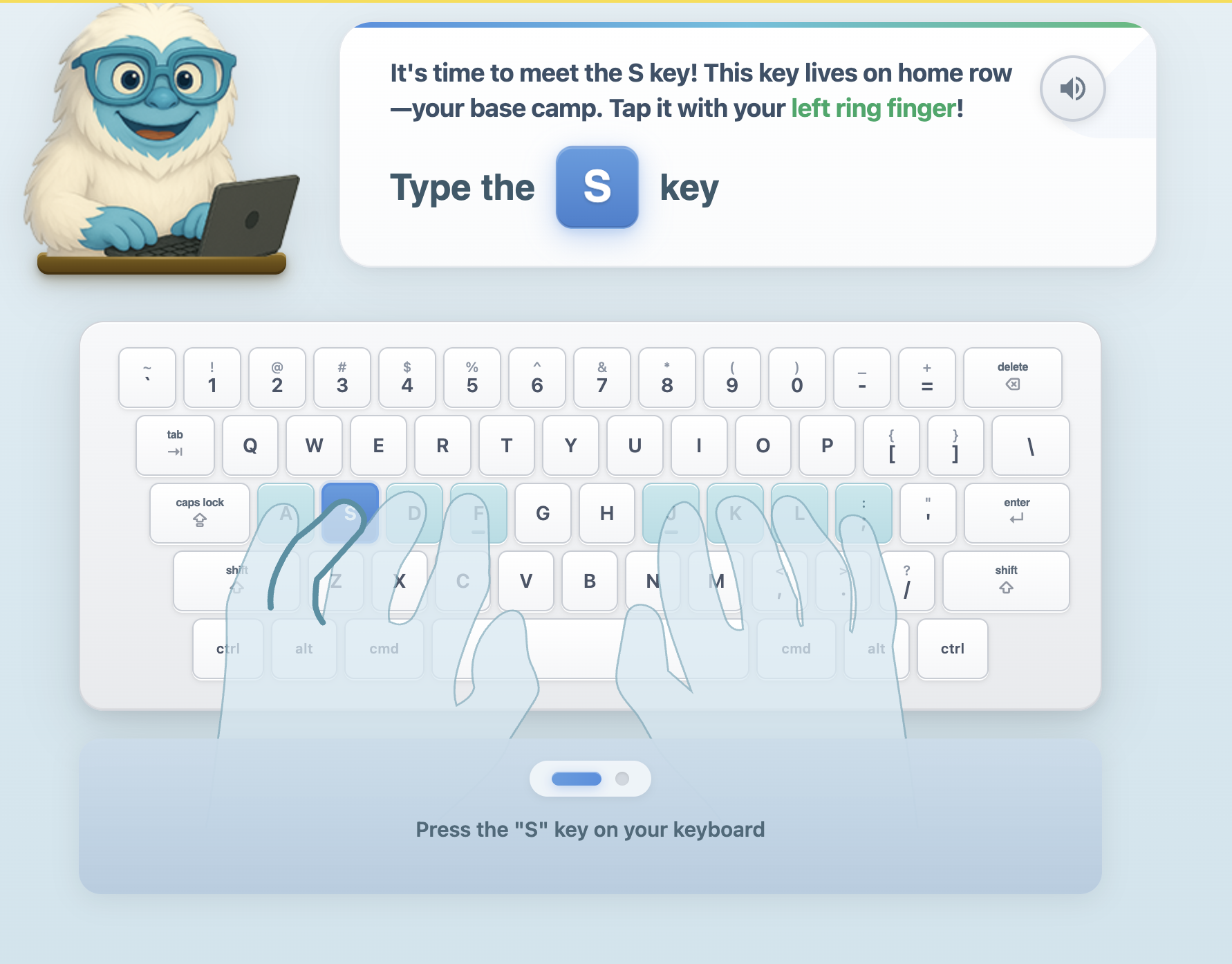
Typing Agent was designed with the specific recognition that most typing platforms let students practice their mistakes. The platform’s instructional approach is built around a set of interconnected mechanisms, each targeting a different part of the habit-formation problem.
Anchor Lessons: Building the Home Row Literally
One of the most effective — and most distinctive — techniques in Typing Agent’s curriculum is the anchor lesson structure.
In anchor lessons, one hand is physically anchored to the keyboard by holding down a designated key while the other hand performs the active typing. This constraint does something that verbal instruction and animated diagrams rarely accomplish: it makes correct hand position mandatory, not optional. The student cannot complete the exercise with their hands in the wrong position. The anchor creates the physical foundation — hands on home row, fingers in correct position — that all subsequent muscle memory will be built from.
This approach addresses the core problem directly. Students who hunt and peck do so because they have no established home row anchor. Every character is a fresh search. Anchor lessons establish that anchor as a physical habit before speed is ever introduced, because speed without correct position is just faster hunt-and-peck.
Accuracy-Gated Progression: No Passing Through Failure
Most typing platforms register lesson completion when a student reaches the end of the exercise. Typing Agent uses accuracy-gated progression — the lesson stops and resets when accuracy falls below threshold, rather than allowing the student to type through mistakes and reach the end anyway.
This is a pedagogically significant distinction. When a platform allows students to continue typing after errors, it is allowing them to practice their errors. The physical motion of typing the wrong key, then backspacing, then typing the correct key is itself a motor sequence that gets consolidated through repetition. Students do not learn to not make that error — they learn the error-and-correction sequence. This is the mechanism by which bad habits become deeply ingrained.
By stopping lesson progression and requiring the student to restart when accuracy drops, Typing Agent interrupts the error-consolidation cycle at the point where it would otherwise begin. The only way forward is to type correctly. Accuracy is built before speed because accuracy is what muscle memory actually needs to be formed around.
The platform’s approach mirrors what cognitive science and procedural learning research consistently recommend: build accuracy first, and speed follows. Target 98% or higher accuracy before pushing speed goals, as multiple typing instruction researchers have documented. Rushing speed before accuracy is established produces fast, incorrect typists — a version of hunt-and-peck that is actually harder to correct than the slow version.
Summit Path: Adaptive Learning at the Keystroke Level
Most keyboarding practice is uniform. All students receive the same drill sequences regardless of where their individual weaknesses are. A student who struggles specifically with the “B” and “G” keys — a common difficulty because of their awkward reach positions — gets the same practice as a student who has those keys mastered and is struggling with punctuation.
Typing Agent’s Summit Path adaptive learning engine watches every keystroke. It identifies which individual keys each student struggles with most, which letter combinations slow them down, and where accuracy is weakest. It then rebuilds the next practice session around exactly those specific gaps.
Each Summit Path session moves through three phases:
Trail Warm-Up — Short, high-confidence practice bursts designed to activate muscle memory and build momentum before the harder work begins. The student starts where they are strong, building the fluency state that enables effective learning.
Precision Climb — Targeted drills weighted toward each student’s personal problem keys. If a student is hitting “G” at 58% accuracy, words containing “G” will appear three times more often in this phase. The practice goes where the need is greatest, not where it would be most comfortable.
Summit Run — Full-speed sentences with key-targeted content, grade-appropriate vocabulary, and punctuation practice. This is where the work from the first two phases is integrated into fluent performance.
Summit Path also includes supporting mechanisms that address specific failure modes:
Frost Freeze pauses input after consecutive errors — interrupting the “panic-mashing” pattern that many students fall into when they realize they’re behind. Mashing through errors reinforces error patterns. Frost Freeze stops the cycle and requires the student to recalibrate before continuing.
Slow Mode delivers one word at a time for students who need to prioritize accuracy completely before speed is reintroduced. This is particularly valuable for students returning to the platform after a break, or for younger students still building foundational hand position habits.
Ghost Cursor displays a student’s own previous WPM as a reference point — not a comparison to peers, but to themselves. Students are pacing against their own growth. This eliminates competitive anxiety while maintaining the motivational structure of measurable improvement.
Over time, SummitPath closes gaps systematically. Weak keys get heavy practice. Mastered keys fade into background. The platform adjusts continuously, meaning no two sessions are identical, and practice is always calibrated to where the student actually is — not to a generic lesson sequence that may or may not address their actual needs.
Accuracy Before Speed: The Sequencing That Most Platforms Get Wrong
Running through all of Typing Agent’s instructional design is a sequencing principle that the research clearly supports and that most platforms ignore in practice: accuracy before speed.
Students advance through Typing Agent’s grade-level benchmarks — built around the 5 WPM × grade level standard, with an 85% accuracy threshold — only when their accuracy justifies advancement. A student who is fast but sloppy is not advanced. A student who is slow but precise continues building toward fluency on a foundation that will support genuine speed.
This mirrors how professional typists develop, how musicians learn instrument technique, and how athletes refine motor skills. You do not learn to sprint before you learn to run. You do not learn to play a piece quickly before you have learned to play it correctly. Speed is the product of accuracy, not its substitute.
The Blizzard Type Essentials Upgrade

The recent launch of Blizzard Type Essentials brings all of these instructional principles together in a rebuilt, modern platform experience.
Blizzard Type introduces Shiver — a snowboarding Yeti with genuine personality and an unwavering commitment to proper finger placement — as the platform’s instructional guide. Shiver appears in short, embedded videos throughout the lesson flow, teaching correct hand position, explaining why home row matters, and demonstrating technique in a way that actually holds student attention. For teachers, Shiver handles the technique explanation so they don’t have to — which is a meaningful reduction in instructional overhead for educators who are not themselves touch typists.
The rebuilt interface runs faster on Chromebooks (the backbone of most K-12 classrooms), loads more reliably, and reduces the visual noise that pulls student attention away from the keys. Summit Path is fully integrated. Accuracy gating, Frost Freeze, and Slow Mode are all active. The anchor lesson structure carries through.
Blizzard Type Essentials is available now in beta until summer as an assignable option within Typing Agent — alongside the classic curriculum, which continues unchanged through the end of the 2026-27 school year. Schools can adopt it immediately, use it as a supplement, or wait. It will become the standard typing instruction engine in Typing Agent after 2027.
The Same Principles, Applied to Everything Else
Here is the thing about hunt-and-peck: it is a symptom of a broader instructional problem. Students hunt and peck because no one structured the learning environment to make it impossible. The same gap — between contact with a subject and genuine skill in it — exists across digital literacy.
Students who have grown up using the internet are not automatically competent at evaluating online sources. Students who have grown up using Google Docs are not automatically fluent in using Google Workspace for complex project work. Students who have watched coding YouTube videos are not automatically able to write structured code. Exposure to a tool is not instruction in a skill. The digital native myth applies not just to typing — it applies to every digital competency.
For schools that are ready to take the next step, this summer Typing Agent is introducing Typing Agent Premium — an expanded tier that takes the same mastery-based instructional approach and extends it further into the digital skills continuum.
Premium adds advanced coding levels that build directly on the fluency students have developed through keyboarding instruction — moving from keyboard confidence into structured, syntax-aware programming exercises where that same accuracy-first, progression-gated approach now applies to writing code, not just prose. It also adds Google Workspace curriculum: structured, project-based instruction in the tools students will use throughout school and beyond — Docs, Slides, Sheets, and Drive — taught as skills, not assumed as knowledge. The same students who hunt-and-peck their way through a typing lesson also hunt-and-peck their way through a Google Slides presentation. Premium addresses both.
The instructional philosophy doesn’t change. The scope expands.
And for those watching a longer horizon: the roadmap goes further still. The work of bringing Typing Agent and its sister platform Yeti Academy — a full STEM and digital literacy curriculum covering coding, digital citizenship, computational thinking, life science, and social-emotional learning — into a single, unified experience is already underway. Blizzard Type Essentials is the first chapter in that story. Typing Agent Premium is the next. The direction is toward a complete K-12 digital curriculum platform that covers everything from a third-grader’s first home row lesson to a middle schooler’s first JavaScript project, all within the same privacy-compliant, ad-free, standards-aligned environment.
That destination takes time to build correctly. But the platform moving toward it is already in your classroom.
What to Do Right Now

If you are watching students hunt-and-peck after months or years of “typing instruction,” the problem is not the students. It is the instructional design that allowed the wrong habit to form and then reinforced it.
The path forward is specific:
Establish correct hand position before anything else, using anchor techniques that make correct placement physically mandatory rather than instructionally suggested.
Gate progression on accuracy. Students should not be able to complete a lesson incorrectly. The lesson resets and they try again — not punitively, but because the only way to build the right muscle memory is to practice correctly.
Adapt to individual gaps. Uniform practice schedules do not address individual weaknesses. Adaptive systems that identify and target specific key-level problems close gaps efficiently rather than averaging over them.
Build accuracy before speed. Every time. Students who reach fluency through accuracy-first instruction are faster and more accurate than students who pushed speed prematurely and have to correct bad habits retroactively.
And recognize that these same principles — structure, explicit instruction, scaffolded practice, corrective feedback, mastery-gating — apply not just to typing, but to every digital skill you want students to actually have.
Because no student has ever become a proficient touch typist, a competent coder, a critical evaluator of online sources, or a responsible digital citizen simply by growing up near a keyboard.
Every skill worth having was taught to someone.
Start a free trial of Typing Agent at typingagent.com or explore Yeti Academy’s complete STEM and digital literacy curriculum at yetiacademy.com. No ads. No data selling. No curriculum-building required.
References and Sources
- Kirschner, P.A. & De Bruyckere, P. (2017). The myths of the digital native and the multitasker. Teaching and Teacher Education, 67, 135–142.
- Hargittai, E. (2010). Digital na(t)ives? Variation in internet skills and uses among members of the “net generation.” Sociological Inquiry, 80(1), 92–113.
- Helsper, E.J. & Eynon, R. (2010). Digital natives: where is the evidence? British Educational Research Journal, 36(3), 503–520.
- EU Kids Online Report. Children knowing more than their parents has been exaggerated. Cited in EdTech Digest, 2018.
- NetPsychology. (2025). The myth of digital natives: reality or fiction? Retrieved from netpsychology.org.
- ProFuturo Education. (2024). Digital Natives: The Great Myth. Retrieved from profuturo.education.
- Chambers, F. (Cited in Irish Times, 2018). Research examining digital experiences of 600+ students; findings that students “can use the technology, but have no critical engagement at all.”
- Murray, J. (Ask a Tech Teacher). Dear Otto: My Students Think Hunt-and-Peck is Good Enough. Cites studies that students need in excess of 20 WPM to keep up with their own thoughts while typing.
- CalcBee Typing Speed Research. (2026). A student typing at 30 WPM takes twice as long to write a 3,000-word essay as one typing at 60 WPM.
- Typersguild. (2024). The Science Behind Muscle Memory and Typing. Procedural memory and keyboarding skill development.
- AllTheRightType. (2024). How Learning to Type Utilizes Muscle Memory. Cognitive load reduction through typing automaticity.
- LiveChat Research. The average typing speed for hunt-and-peck typists is approximately 27 WPM, compared to 60–100 WPM for touch typists.
- TonicMinds. (2024). Touch Typing vs Hunt and Peck: Which is Better? Speed, accuracy, and cognitive efficiency comparison.
- Quora / Cognitive Psychology. Typing is learned sensorimotor choreography: stages of learning move from cognitive (slow, conscious) to associative (error reduction) to autonomous (fast, automatic).
Typing Agent is a K-12 keyboarding curriculum platform serving schools and districts across the United States with standards-aligned, ad-free, FERPA and COPPA-compliant typing instruction. Yeti Academy is its sister platform delivering STEM, coding, digital citizenship, Google Workspace skills, and SEL curriculum through the same privacy-compliant, teacher-ready infrastructure. Learn more at typingagent.com and yetiacademy.com.